Digital Twins for Business Operations: Start with One Useful Decision
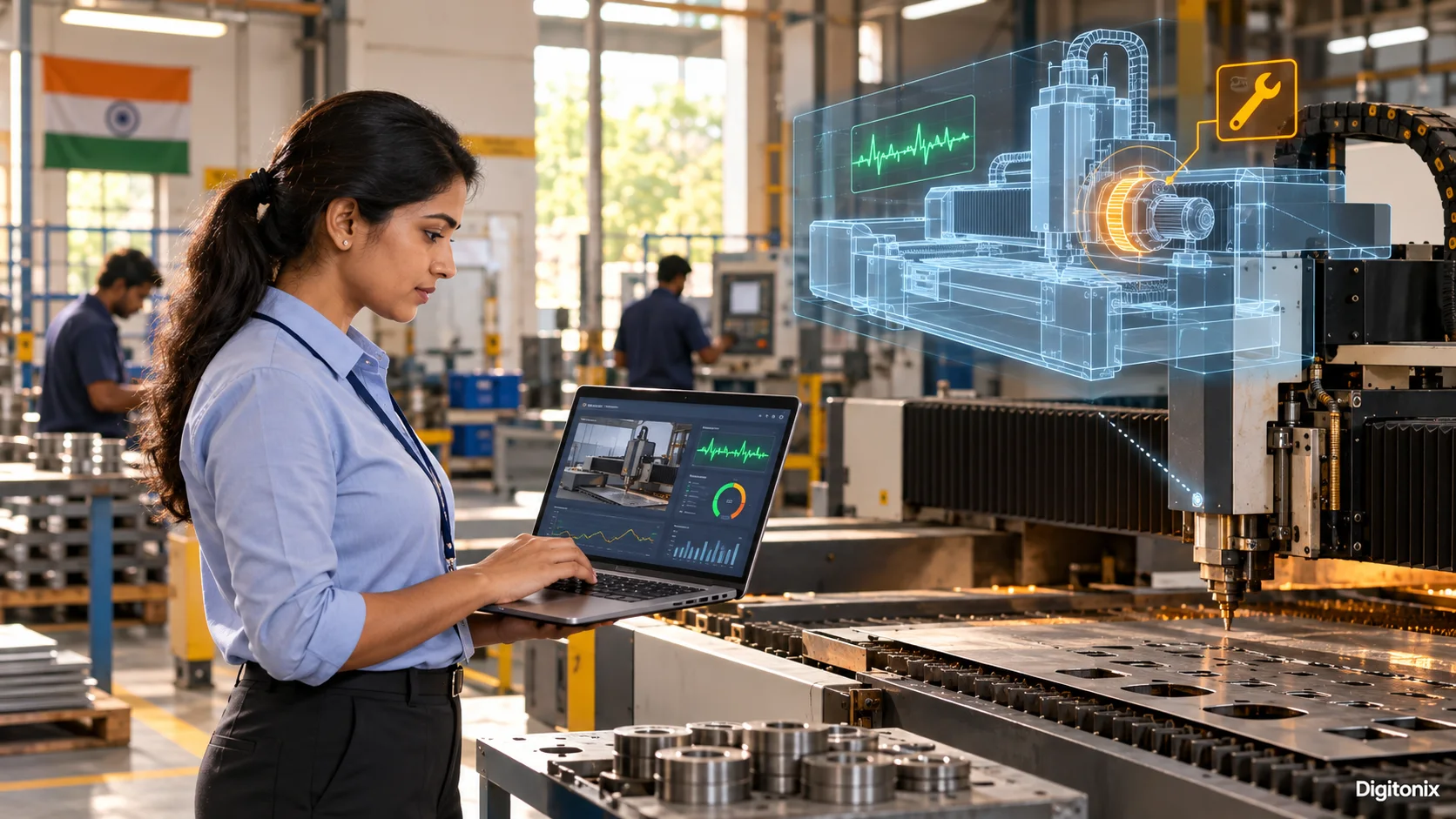
Meera starts the morning shift with a walk past the cutter. She listens for the squeal that caused trouble last week. Today it sounds fine. Sometimes it unexpectedly halts production, and the crew loses several hours of time in vain. A suggestion of creating a digital twin appears. The manager imagines a fancy three-dimensional picture of it in motion. Yes, it would be rather nice to have, but how can she use it for answering her main concern? Can the system forecast some possible malfunction of the machinery in advance to plan a fix before it happens?
Her question gives the project a job to do. On her screen, Meera could see a small working copy of the machine’s condition. It takes the few facts Meera needs from the actual machine and keeps them current. The same idea can help with a cold room, a busy packing desk, or a delivery van, if the team has a decision to make about it. Meera may need a temperature reading right now; the owner planning next month’s spare parts can use a daily update.
The Digital Twin Consortium uses the word “synchronized.” For Meera, that means yesterday’s reading should never appear as if it came from the cutter right now. That gives a small team room to start with one machine and one daily report. Copying the entire factory would add work before it answers Meera’s question.
A working copy, explained with a timetable
At a school, the morning timetable changes when a teacher phones in sick. A paper schedule shows the places where a certain class is supposed to be. In case of a teacher's absence, somebody needs to update the schedule. Now imagine the timetable receiving an update when a teacher calls in sick. The office can see which rooms and teachers are free, then try two ways to move the class. The office can then see which parts of the printed plan still fit today and which classes need another room.
A wall map of the warehouse is useful, but it cannot show where orders are building up this afternoon. The dashboard with the figures from yesterday does not become one either. For the packing team, that could mean combining the station layout with today’s orders and the number of workers on duty. Now someone has a reason to move a worker or change the packing order. Suppose station two has 40 boxes waiting and station one has five. The supervisor can try a shift change in the model before moving anyone on the floor.
The model can be very simple. A table with data on the state of machines, their repair records, and planned work may be more useful than a fancy 3D image. Visualization is necessary when people have to comprehend the physical space. When it is about scheduling, capacity planning, or maintenance, pictures are not essential. Define the form of the model after defining its users.
Choose a decision before choosing software
Ask one individual to explain a decision made repeatedly. What kind of information does he gather? How things may go wrong? What happens in case he acts too late? Formulate your answers in one sentence. For instance, a factory manager could say, “Every Friday I determine what machines require maintenance before next week’s orders arrive.” This phrase will serve as your project’s framework.
Now, formulate the desired outcome in your task. It could be reduced unscheduled stops, shortened duration of the repairs or more predictable maintenance process. First of all, measure the current status before any changes occur. Find out the frequency of the stops, their duration and cost of the maintenance works. Otherwise, it will be impossible to identify whether a new model brought any improvement.
Select the decision-making process frequent enough for assessment. An occasional event will take several months to analyze. Also, the owner of this decision must exist and be able to use this output somehow. A model predicting some issue and sending its message to no one won’t help you to boost your company's operations. Identify who gets the alert, checks it and makes the decision.
Start with data you can explain
The useful variables for a machine could be operating hours, temperature, vibration, repair remarks, and the schedule for next week. For a store, they could be foot traffic, staff schedules, stock level, and delivery time. Only collect the necessary variables required for answering the first question. Additional data may increase cost and complexity without adding any value.
It is important to understand how each variable is calculated. Is the measurement taken by a sensor continuously every minute or only when the device is connected to the internet? Is the time taken to complete a repair entered by the worker as soon as the repair starts or at the end of the day? Can two machines have the same name in an old spreadsheet? While the above examples are minor details, they could result in a misleading answer being generated by the model.
Document all missing data and methods for dealing with it. Missing temperature must not become zero silently. The time of upload must be documented so that the supervisor understands the freshness of the data. The label 'last update was at 10:20' is one example of the label used.
Good data doesn’t have to be flawless. As long as the team knows the limitations of their data, they can start with a simple question. Thus, a crude capacity model might suffice for planning next week’s activities, whereas a safety decision would require much better data. If a wrong answer merely changes next week’s rota, rough numbers may be enough. If it affects safety, they are not.
Build a small model people can check
Ask the mechanic which signs he trusts before opening a machine. He may say, “Check that belt after 200 hours; it starts to slip after that.” Put that familiar rule on the screen first. Encode that principle in your initial model and compare its signals with the actual experience of the team. Only then add additional signals if they improve the decision-making process.
Be transparent about how the answer was obtained. If the warning message is “high risk,” the manager must see the latest readings, the relevant history, and the limitations of the model. A score without an explanation will be either disregarded or trusted blindly. People must be able to challenge the outcome and track the mistakes of the model.
Validate the model against prior examples before making use of it in practice. Pull last month’s logbook. Include ordinary shifts and the Tuesday when the belt jammed. Ask what the model would have shown on each day. Think of what the model would have detected in such cases. Then start running the model concurrently with the current system and let it operate for some period of time. The team can compare its recommendations with the actual outcomes without allowing the new tool to take control prematurely.
NIST research on digital twins in advanced manufacturing highlights the need to test models, validate their output, and understand uncertainty. On a practical level, it boils down to the following question: “How do we know that the model is sufficiently close to the actual operation for this decision?” The answer comes from comparison with the actual examples rather than from the perfect visualization on the computer screen.
When should the screen refresh?
What will Meera see when the sensor loses its connection? Write down the answer before that day arrives. The display may present the most recent state, but it should be marked accordingly. A manager may continue using outdated data to make plans, while a live safety activity should be performed according to the predefined manual procedure. This feature should be designed prior to the product launch when everyone has enough time to discuss it calmly.
Create documentation of the model updates. If there is a new part in the machine or updated business hours in the store, the virtual model must be updated accordingly. Define who is responsible for that. A model that starts being precise and later becomes inaccurate may turn out to be even less valuable than a simple spreadsheet.
Use a pilot with a real team
Take one device, one store, or one component of delivery process. Give the pilot a start date, owner, and set of questions to be answered. Get in touch with the workers. They may say that a machine has to be noisy; a sensor does not work properly after cleaning; the delivery route has been changed in festive periods. This information needs to go into the model.
The first screen should not become complicated. The user will have to have the current status, the date and time of the last update, the warning message itself, and the next required check point. Do not clutter up the screen with graphs that can only be understood by a specialist in data analysis. Ask any worker not involved in creating the screen to use it during a normal shift. Observe where the worker hesitates.
When the pilot is finished, make a comparison with initial figures. Have the team made a better decision, did it save time or prevent disruption or found the problems faster? Also pay attention to the number of false alarms. The system which cries about its problems once per hour will probably be ignored.
In case the pilot does not succeed, remember your experience. Maybe the problem was with weak data, wide decisions, or a simpler process could have worked fine. Small pilots make learning this experience easy. A lesson from one machine is cheap enough to act on. The same lesson after a factory-wide rollout would hurt.
Decide who gets the machine and order data
Meera’s screen might reveal machine problems, staff shifts, and the orders waiting for the cutter. Not everyone at the factory needs to see all three. Give the mechanic the machine view. Give the planner the order view. Keep a record of who changes either one. Access to information about the condition of a machine might be needed by a service partner while customer names are a secret. Keep the access restricted and trace all changes in access rights. Decide when old readings and worker details can be removed.
An amber light asks a person to investigate. An automatic stop could halt every order on the floor. In the pilot, Meera can ask the mechanic to look at the belt before she books a repair slot. If the team later wants the software to stop the cutter, involve the people responsible for machine safety before that feature goes live. It requires more detailed analysis, determination of responsibility, and providing manual option.
Cost after the pilot. All sensors, data storage, network usage, support, and modeling updates require an owner. The repair book may already contain the clue the team needs. A pilot that saves two hours each month may not justify a sensor bill and a specialist on call every night. A small reliable digital twin is much better than a large one nobody can maintain.
How Digitonix can help
Digitonix could begin with Meera’s Friday maintenance question and build only what her team needs to test it. In the first workshop, Meera can bring her Friday notes and explain which readings made her send a machine for repair last time. For each shift, record what the screen advised and what actually happened. Include the false alarms and the breakdowns it missed.
A factory with one cutter needs a different setup from a company watching fifty delivery vans. Digitonix software development can build the small screen. For the parts behind the screen, Digitonix has cloud and DevOps, data and AI solutions, and cyber security services. The team can choose only what this pilot calls for. One possible build uses React.js for Meera’s screen, Python for the logbook data, and AWS to run it. The existing systems may call for something else. If Meera cannot use the screen on a busy Friday, trim it back. Someone should also know how to fix it when the original developer is away.
Questions business owners ask
Does a digital twin need a 3D picture?
No. 3D visualization is useful in case of designing buildings or machines, but there are many useful twins which are tables, maps, or screens. A shiny screen will not help if it shows a different machine from the one the team is fixing.
Do we need sensors on everything?
No. First of all, determine what information is necessary to make one decision. Existing logs and business reports can be sufficient at first. Add a sensor only when the old records cannot answer the question well enough.
Can a dashboard do the same job?
Both may show the same temperature. Meera wants to know what she can do with that number. A dashboard might show Meera the latest temperature. The twin also knows which machine that reading belongs to, what work is planned, and what may change if she stops it for a check.
Can it predict a breakdown exactly?
No model can guarantee it. When the screen turns amber, Meera should send someone to check the cutter. It does not mean the belt is certain to fail. The mechanic’s ears, the repair book, and a look at the belt still matter. There should be human verification and backup plan.
How long should the first pilot take?
If the manager makes the choice every Friday, run the pilot through several Fridays. Review the actual calls, including any warnings that wasted a technician’s time. The length of the period will depend on the frequency of the decision.
Written by admin
Specializing in technology, our experts bring years of industry experience to help you navigate complex digital challenges.
View all postsOn This Page

Ready to Build Something Great?
Partner with Digitonix, the leading IT company in Jaipur, for world-class web development, mobile apps, and digital marketing solutions. Join 500+ businesses achieving measurable growth.